
7 Quick 5-Minute Math Bell Ringers to Start Class with Instant Focus
Tired of morning hallway chaos, lost pencils, and wasted photocopies? Discover 7 high-engagement 5-minute math warm-ups—from Wordle-style daily arithmetic streaks to split-screen duels—that hook student focus from the second the bell rings.
The first five minutes of any math period dictate the success of the entire lesson. In too many classrooms, however, those precious opening minutes dissolve into disorganized friction: students trickle in from the hallway, unpack backpacks in slow motion, wander around searching for pencils, and swap weekend gossip while the teacher tries in vain to take morning attendance.
When class begins in chaos, reclaiming student attention requires exhausting amounts of teacher energy. But when students walk through your door to find an engaging, zero-friction 5-minute math bell ringer waiting on their Chromebooks or front Smartboard, the entire dynamic flips.
Rather than dawdling, students sit down immediately, open their screens, and begin calculating. By the time you submit your official attendance roster, thirty young brains are warmed up, activated, and primed for deep mathematical instruction. Here is how modern K–8 teachers replace messy paper morning work with dynamic, zero-prep digital warm-ups.
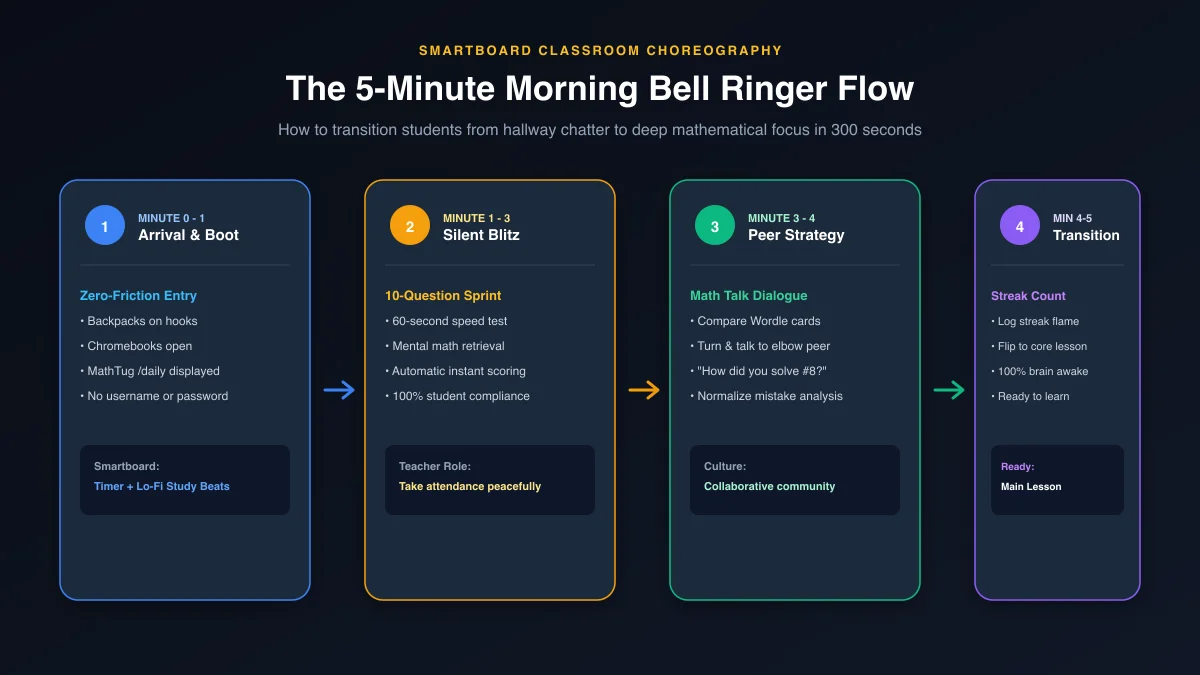
The 5-Minute Bell Ringer Classroom Routine (300-Second Flow)
The secret to a successful warm-up is consistency. When students know the exact sequence of events from the moment they cross the threshold, transitions happen on autopilot:
-
Minute 0 to 1: Arrival & Screen Boot (Zero-Friction Entry)
The front Smartboard displays the MathTug Visual Timer set to 5 minutes with soothing Lo-Fi study beats playing softly in the background. Students hang up backpacks, sit down, and open their Chromebooks directly to mathtug.com/daily. Because MathTug requires zero login or passwords, students are solving problems within 10 seconds of sitting down.
-
Minute 1 to 3: The Silent Blitz (Independent Cognitive Retrieval)
Students complete today’s 10-question speed challenge. The room is quiet; students are laser-focused on mental addition, subtraction, and multiplication facts. Meanwhile, the teacher takes attendance and handles administrative paperwork in complete peace.
-
Minute 3 to 4: The 60-Second "Turn & Talk" (Peer Math Talk)
When students finish, their screen displays a Wordle-style green/red emoji scorecard. The teacher calls out: "Turn and talk to your elbow partner—compare question #7 and explain your strategy!" Students compare answers and discuss mental math shortcuts in student-friendly vocabulary.
-
Minute 4 to 5: Streak Celebration & Core Lesson Launch
Students log their daily streak flame, close Chromebook lids to 45 degrees, and look at the front board. The timer chimes. In exactly 300 seconds, morning rust has vanished, mathematical focus is activated, and your classroom is primed for today's curriculum!
7 High-Engagement Math Bell Ringer Formats
1. The Universal Daily 60-Second Blitz
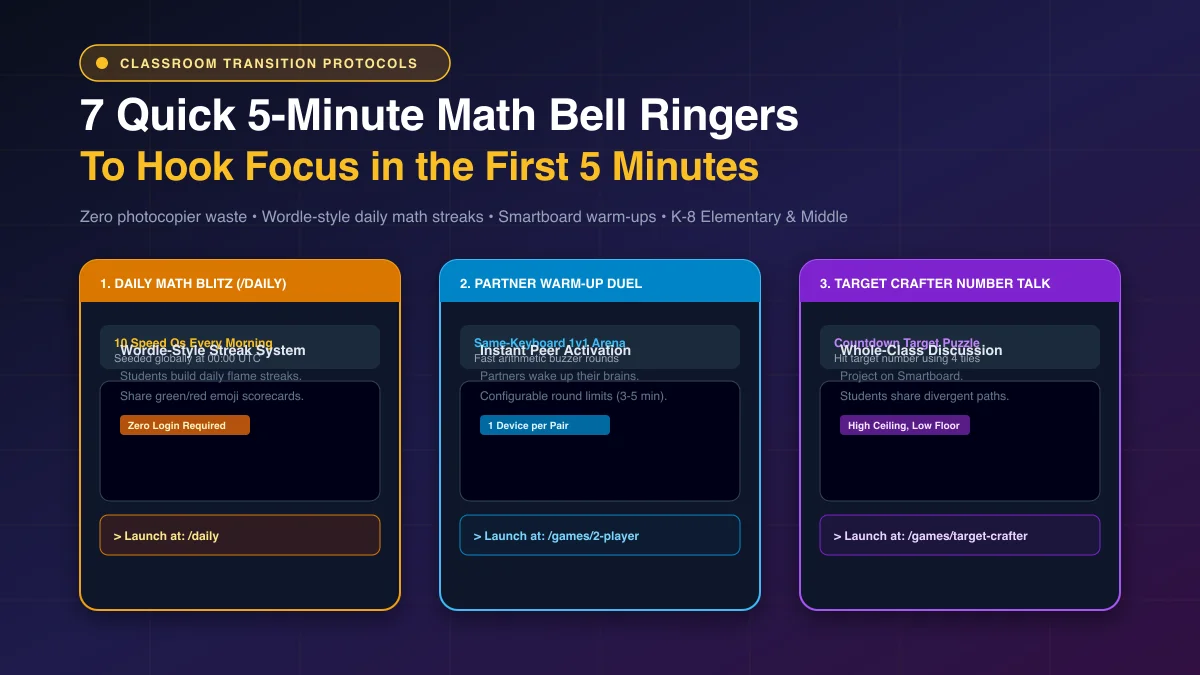
Tool: /daily • Wordle for MathEvery single morning at 00:00 UTC, the MathTug Daily Challenge generates a brand-new 10-question speed blitz based on a universal mathematical seed. Every student in your room—and across the globe—gets the exact same challenge on that date!
2. "Which One Doesn't Belong?" (WODB) Number Talks
Whole Class • Divergent Thinking
Project a 2×2 grid containing four numbers (e.g., 9, 16, 25, 43). Ask the class: "Which number doesn't belong, and why?" The genius of WODB is that every single number has a valid mathematical reason to be the odd one out:
43doesn't belong because it is prime (the others are perfect squares).16doesn't belong because it is even (the others are odd).9doesn't belong because it is a single-digit number.25doesn't belong because it ends in 5.
This format eliminates performance anxiety because there is no single right answer—any student can participate by justifying their thinking!
3. Partner 2-Player Split-Screen Warm-Up Duel
Tool: /games/2-player • 1 Device per PairHave students pair up on a single Chromebook at the MathTug 2-Player Arena. Set the match to 5 rounds. Two students battle head-to-head on the same keyboard, racing to calculate mental math facts to pull the rope or score points.
4. Target Crafter (Countdown-Style Operations Puzzle)
Tool: /games/target-crafter • High Ceiling, Low Floor
Project Target Crafter on the front Smartboard. Students are given four numbers (e.g., 3, 4, 8, 25) and a target total (e.g., 79). Students use mini whiteboards at their desks to test operational combinations using addition, subtraction, multiplication, and division to reach the exact target number.
(25 × 3) + 8 - 4 = 75 + 4 = 79! Deep order of operations (PEMDAS) practice with gamified appeal.5. Visual Balance Scale Mystery Box (Pre-Algebra Warm-Up)
Tool: /games/balance-scale • Pre-AlgebraOpen the Visual Balance Scale on your front projector. An animated scale holds two unknown $x$ mystery boxes and a $+6$ weight on the left pan, perfectly balancing a $20$ weight on the right pan. Students race to deduce the weight of a single box ($x = 7$) before the bell rings.
6. Classroom Smartboard Tug-of-War Battle
Tool: /games/classroom • Whole-Class GameHave a sleepy Monday morning? Divide the room into Table Left vs. Table Right. Launch Classroom Tug-of-War on the big screen and track points on the Digital Scoreboard. Students take turns running up to tap correct answers to pull the virtual rope. Three minutes of play completely electrifies the room!
Launch Smartboard Classroom Battle →7. 3-Minute Pre-Test Diagnostic Check
Tool: /tests • Formative TriageWant to verify if students retained yesterday’s fraction division lesson before introducing word problems? Use the MathTug Test Hub with the "3-Minute Exit Ticket" preset. Students answer 5 questions; the dashboard instantly generates a Red/Yellow/Green triage report so you know exactly who needs small-group support during today’s lesson.
Launch 3-Minute Diagnostic Test →Head-to-Head: Paper Morning Work vs. MathTug Digital Bell Ringers
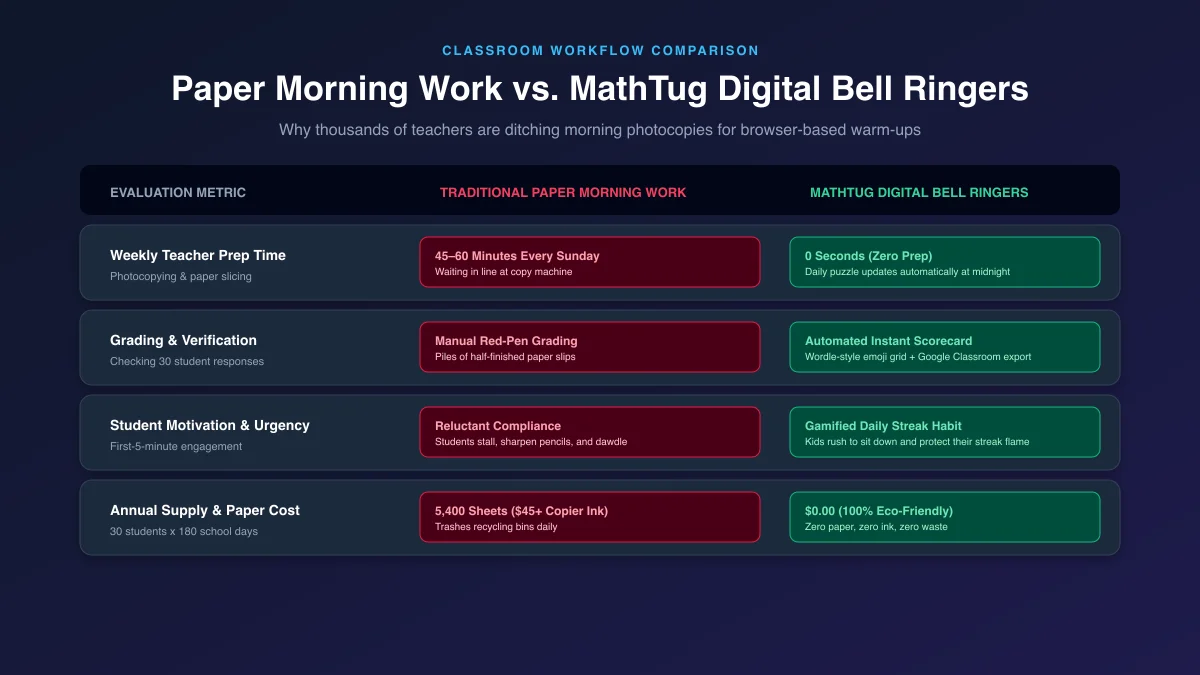
| Metric | Traditional Paper Morning Work | MathTug Digital Bell Ringers |
|---|---|---|
| Teacher Prep Time | 45–60 min every Sunday copying paper | 0 Seconds (Zero Prep) |
| Grading & Data | Manual red-pen grading of 30 slips | Instant automated scorecards |
| Student Urgency & Compliance | Reluctant compliance; stalling & pencil sharpening | High excitement to protect daily streak |
| Annual Paper & Ink Cost | 5,400 sheets ($45+ copier budget) | $0.00 (100% Eco-Friendly) |
3 Golden Rules for Flawless Bell Ringer Execution
-
1. Ban Pencil Sharpeners During the First 5 Minutes
The #1 delay tactic in any classroom is the line at the pencil sharpener. With digital bell ringers on Chromebooks, pencils aren't even required! If using whiteboards, keep a jar of fine-tip dry-erase markers at every pod.
-
2. Pair with the Smartboard Noise Meter
Keep morning chatter in check by running the MathTug Classroom Noise Meter in a background tab set to Level 1 (Whisper). If arrival volume gets too rowdy, the Smartboard gently alerts students to reset their volume.
-
3. When Paper is Needed, Use Dynamic Randomization
If you prefer paper bell work on Fridays, don't buy static photocopies where students copy answers from adjacent desks. Use the free MathTug Worksheet Generator, click "Shuffle Numbers 🎲", and print Version A and Version B in 30 seconds with instant matching answer keys.
Frequently Asked Questions (FAQ)
Do students need to create an account to track their Daily Math streak?
No! MathTug preserves student streak counts locally in their browser’s memory. There are no passwords to remember, no forgotten accounts, and no student email required.
Can teachers assign the Daily Challenge directly in Google Classroom?
Yes! On the Daily Challenge completion screen, click the green "Share to Google Classroom" button to post the assignment link to your stream in a single click.
What if my students don't have 1:1 Chromebooks?
You can project the Daily Challenge or Target Crafter on your front Smartboard! Students solve problems on handheld dry-erase boards or in math notebooks, creating an engaging whole-class number talk with zero devices needed.
Start Your 5-Minute Morning Routine Tomorrow
Stop losing your morning preparation time to the photocopier line. Bookmark mathtug.com/daily on your classroom devices, project the Smartboard Visual Timer, and experience the calm, focused morning routine your classroom deserves.
Looking for more teaching tools? Explore our guides on The 4-Station Math Blended Learning Blueprint, Overcoming Math Anxiety with Untimed Games, and Smartboard Noise Management.
Recommended Hands-on Math & Focus Tools
Top-rated learning tools on Amazon that support the strategies in this article:
📥 Get Our Free Classroom Math Puzzles & Worksheets
Enjoyed this guide? Join our educator community and receive weekly printable activities and mental math worksheets.
About the Author: Shubham
Math Educator & Developer
Shubham is a dedicated math educator and software engineer with a passion for gamifying education. He created MathTug to help teachers and parents utilize interactive digital games on smartboards and projectors to make math learning collaborative, active, and stress-free for kids.
Learn more about our educational mission on the About Us page →Enjoyed this post?
Share it with your colleagues or explore more fun ways to teach math on MathTug.
🎮 Play Games