
How to Turn Any Math Lesson into a Live Gameshow with a Digital Classroom Scoreboard
Say goodbye to messy dry-erase tally marks. Discover how K–8 teachers use interactive Smartboard scoreboards with dual-tone buzzers, target scores, and team point trackers to supercharge math engagement.
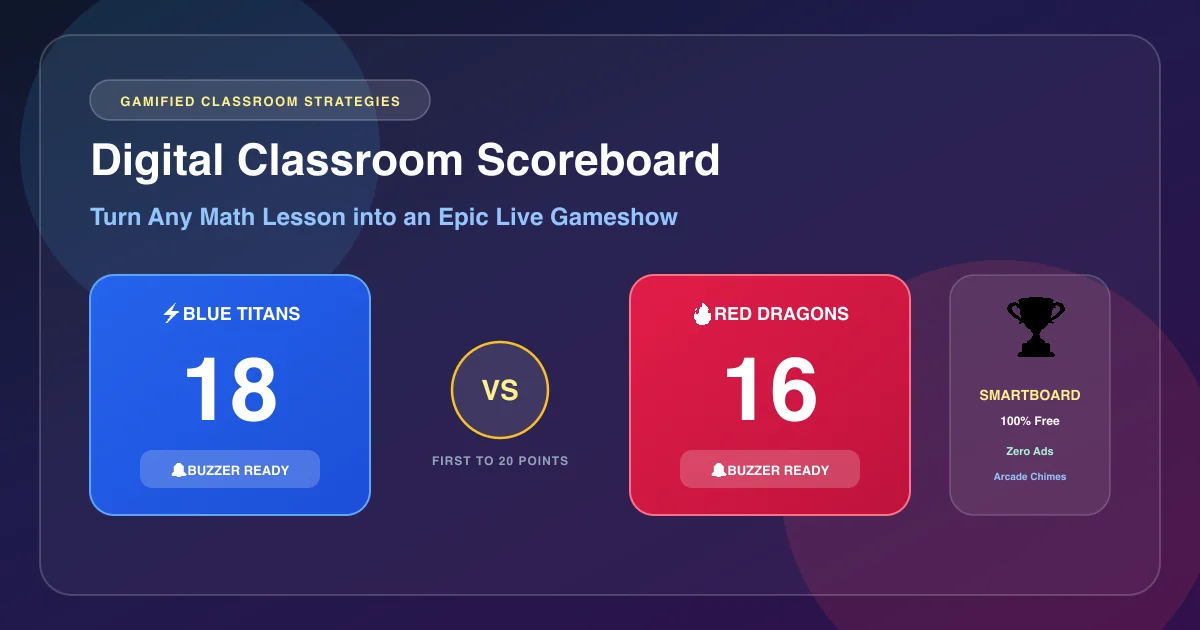
Ask any student on a Friday afternoon what they think about reviewing fraction simplification or multi-digit multiplication, and you will likely hear heavy sighs. But say the magic words: "Close your textbooks — today we’re doing a live Math Gameshow!" and the entire energy in the room shifts instantly into electric excitement.
For decades, teachers ran review games by scribbling crude tally marks with dry-erase markers in the corner of their whiteboards. But dry-erase tallies come with constant frustrations: they get smeared by passing backpacks, they require you to turn your back on 30 students to write a tick mark, they consume precious calculation space needed to show math steps, and they fail to capture the high-stakes audiovisual excitement that modern students love.
A digital classroom scoreboard projected on your front Smartboard transforms standard review questions into a high-octane, esport-style arena. With touch-screen scoring, dual-tone arcade buzzers, customizable target victory scores, and automatic confetti celebrations, you can gamify any curriculum unit in seconds.
The Neuroscience of Gamification in Math Education
Why do students who complain about solving three textbook equations happily solve 25 challenging problems during a classroom team game? Educational psychologist Karl Kapp (author of The Gamification of Learning and Instruction) explains that team-based game mechanics fundamentally alter neurochemical response:
- Dopamine-Driven Persistence: Anticipating a point increase and hearing an arcade chime triggers a healthy dopamine release in the brain's striatum, increasing cognitive stamina and reducing perceived mental effort.
- Shared Accountability: When students solve problems on behalf of a team (rather than just for individual grades), social interdependence activates. Stronger students naturally step up as peer tutors, while struggling students feel protected by the collective effort.
- Reframing "Mistakes" as Strategic Data: On a formal exam, an incorrect answer feels like a failure. In a gameshow format, missing a problem feels like a temporary setback that motivates the team to rally on the next question.
3 High-Impact Math Gameshow Formats
You don't need elaborate props, buzzers, or game boards. Project the MathTug Classroom Scoreboard on your interactive screen and choose one of these three battle-tested structures:
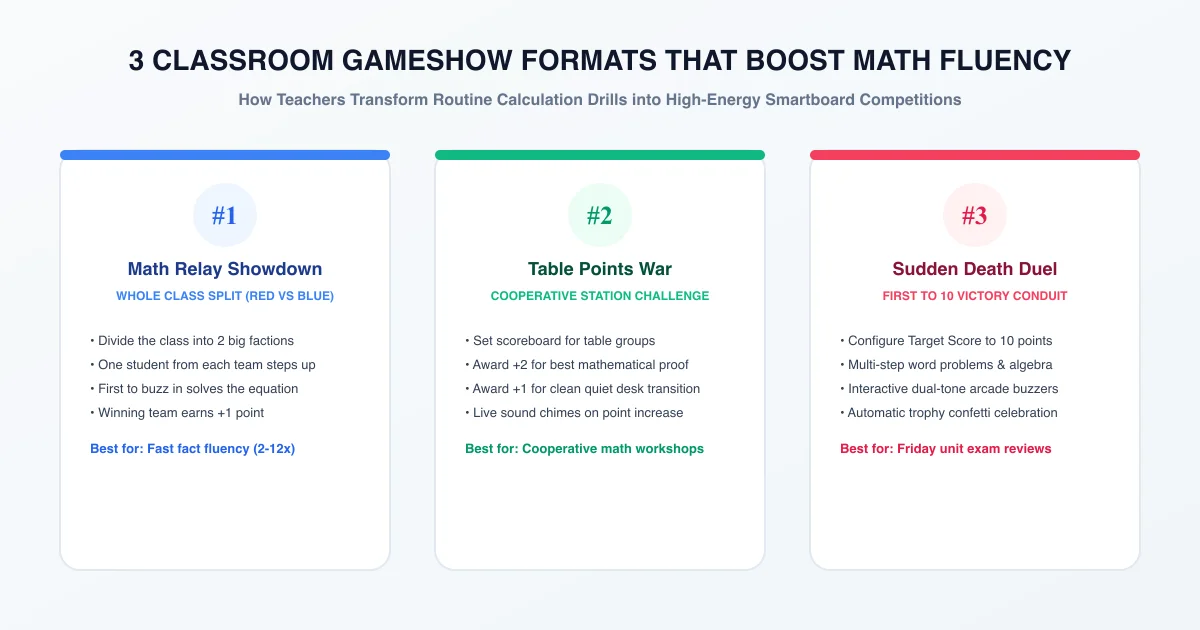
1. The Math Relay Showdown
Use the Team Generator to split your room into two big factions: Blue Titans vs. Red Dragons.
2. Table Points War
Keep the scoreboard visible during small-group station rotations or independent math workshops.
3. Sudden Death Unit Review
The ultimate pre-exam review. Configure the scoreboard's Target Score to 10 or 15 points.
Why MathTug Beats Generic Sports Scoreboards
If you search for online scoreboards, 95% of tools were built for amateur basketball, football, or soccer leagues. They are cluttered with shot clocks, quarter horns, foul trackers, and generic banner ads that distract students.
The MathTug Classroom Scoreboard was engineered specifically for school smartboards, touchscreens, and interactive projectors:
- Dual-Tone Arcade Buzzers: Includes built-in synthesizer sound effects. The Blue Team triggers a high-tech 660Hz–880Hz arcade bell, while the Red Team triggers a warm gameshow chime. Students love running up to tap their buzzer!
- Large Touch-Friendly Buttons (+1, -1, +5): Huge, high-contrast buttons allow the teacher or student scorekeeper to update points with a single fingertip tap on Promethean or Smartboard glass.
- Configurable Target Victory Score: Set the winning goal to 5, 10, 15, or 20 points. When the winning threshold is reached, MathTug triggers a golden victory trophy animation and confetti shower.
- Customizable Team Identity: Click any team name to personalize it: "Pythagorean Pirates", "Algebraic Aces", or "Room 204 Champions".
- 100% Free & Ad-Free Fullscreen: No accounts, no subscriptions, and zero advertisements displayed in front of your class.
Feature Comparison: MathTug vs. Whiteboard Tallies vs. ClassDojo
Here is how the MathTug digital scoreboard compares to other classroom point systems:
| Feature | MathTug Scoreboard | Whiteboard Marker Tallies | ClassDojo Points | Generic Sports Scoreboards |
|---|---|---|---|---|
| Smartboard Touch Friendly | ✅ Massive Touch Targets | Manual marker drawing | Small desktop UI | Small complex buttons |
| Interactive Sound Buzzers | ✅ Dual-Tone Chimes | ❌ Silent | Standard notification chime | ⚠️ Jarring sports horns |
| Winning Confetti Celebration | ✅ Automatic on Target Score | ❌ None | ❌ None | ❌ None |
| Account / Login Required? | ❌ NEVER (Zero Login) | None | ⚠️ Mandatory Teacher Account | Mixed (often requires sign-up) |
| Banner Ads on Screen? | ❌ ZERO Ads in Fullscreen | None | None | ⚠️ Heavy sports banner ads |
| Cost | 🎉 100% Free Forever | Marker costs | Freemium | Ad-supported |
2 Essential Classroom Rules to Keep Gameshows Fair
To prevent over-enthusiastic chaos and maintain a constructive academic climate, enforce these two simple rules before launching the scoreboard:
Rule 1: "Pencils Down Before Buzzing"
Students must write down their complete mathematical working before anyone on their team touches the buzzer. If a student buzzes in first but has no scratch work to show, the opportunity immediately passes to the opposing team. This prevents reckless guessing and reinforces thorough mathematical thinking.
Rule 2: The "Phone-a-Teammate" Lifeline
If a student steps up to the board and freezes under pressure, allow them one "Team Lifeline" per round. They can call on one teammate for a 15-second whisper consultation. This protects shy or anxious students from public embarrassment while modeling collaborative mathematical communication.
Bring Live Energy to Your Next Math Review
Math instruction doesn't have to be a silent, dreary march through textbook problem sets. By turning review sessions into an interactive, collaborative gameshow, you inspire students to take pride in their problem-solving, build team camaraderie, and genuinely look forward to math class every week.
🏆 Open Free Classroom Digital Scoreboard →
Companion Classroom Guides & Smartboard Utilities:
- Split-Screen Math Battles: 2-Player Same-Device Classroom Duels
- Fair Classroom Group Maker: Random Team Generator Guide
- Best Online Math Games for Middle School: Complete Curriculum Alignment
- Best Free Classroom Noise Meter for Smartboards & Gameshows
- Why Visual Timers Reduce Classroom Anxiety: Smartboard Guide
Recommended Hands-on Math & Focus Tools
Top-rated learning tools on Amazon that support the strategies in this article:
📥 Get Our Free Classroom Math Puzzles & Worksheets
Enjoyed this guide? Join our educator community and receive weekly printable activities and mental math worksheets.
About the Author: Shubham
Math Educator & Developer
Shubham is a dedicated math educator and software engineer with a passion for gamifying education. He created MathTug to help teachers and parents utilize interactive digital games on smartboards and projectors to make math learning collaborative, active, and stress-free for kids.
Learn more about our educational mission on the About Us page →Enjoyed this post?
Share it with your colleagues or explore more fun ways to teach math on MathTug.
🎮 Play Games