
10 Best Interactive Math Games for Smartboards and Projectors
Discover the best interactive math games designed for classroom smartboards, interactive whiteboards, and projectors to boost student engagement and learning.
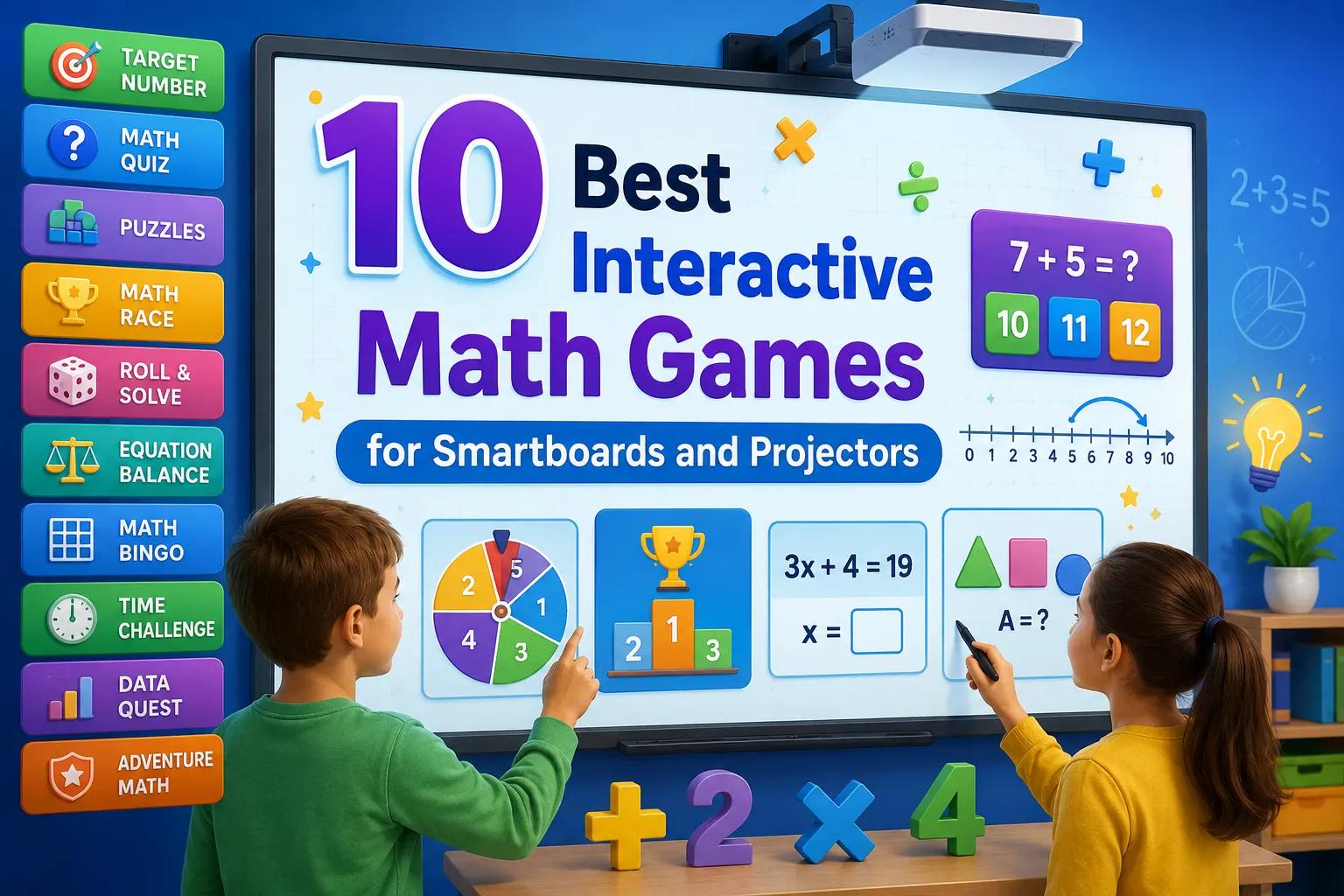
Introduction Modern classrooms are equipped with amazing technology like smartboards, interactive whiteboards, and projectors. However, finding high-quality, free, and educational resources designed for these big screens can be a challenge. Math games are a fantastic way to capture student attention, but they work best when designed specifically for whole-class engagement or small-group interaction.
In this article, we share the 10 best interactive math games that will turn your projector or smartboard into an exciting learning arena.
1. MathTug (Tug of War Math Game)
- Best for: Addition, Subtraction, Multiplication, Division, and Mental Math (Grades K-8)
- Cost: Free (No sign-up required)
MathTug is a fast-paced classroom game designed specifically for projectors and smartboards. It splits the classroom into two teams (Red and Blue) for a virtual tug-of-war battle. 👉 Play Math Tug of War on Smartboard →
- How it works: Each team answers math questions on the screen. Correct answers pull the rope toward their side, while incorrect answers give the other team an advantage.
- Why it works on Smartboards: The large, vibrant visuals and competitive elements make the whole class cheer and participate together, keeping students highly engaged. Explore our Classroom Games Hub for more big-screen tools.
2. Prodigy Math
- Best for: Curriculum-aligned math quests (Grades 1-8)
- Cost: Free (with paid premium upgrades)
Prodigy Math is a fantasy-based game where students solve math problems to cast spells and battle monsters.
- How it works: Teachers can project the screen to showcase class achievements, host group boss battles, or review problems as a class.
- Why it works on Smartboards: Showing a student's character or a class battle on the big screen builds a huge sense of community and excitement.
3. Math Playground - Sugar Sugar
- Best for: Logic, physics, and problem-solving (Grades 3-6)
- Cost: Free
This physics-based puzzle game requires students to draw lines to guide sugar into cups.
- How it works: Students must calculate angles, speed, and flow to solve the puzzles.
- Why it works on Smartboards: It is highly tactile. Students can walk up to the smartboard and draw the lines directly with their fingers, making logic lessons interactive.
4. Greg Tang Math - Kakooma
- Best for: Addition and multiplication fluency (Grades 2-6)
- Cost: Free
Kakooma challenges students to find the number in a puzzle that is the sum or product of two other numbers.
- How it works: It requires rapid mental calculations and visual pattern recognition. For offline practice, download our Free Printable Math Worksheets.
- Why it works on Smartboards: You can set a class timer on the projector and have students compete to spot the answer first.
5. MathTug Arrow Puzzle
- Best for: Spatial reasoning, geometry, and logic (Grades K-8)
- Cost: Free
Arrow Puzzle is a spatial grid game where players place direction arrows to fill a game board. 👉 Play Arrow Puzzle Now →
- How it works: Students must plan multiple steps ahead to ensure all blocks are covered.
- Why it works on Smartboards: It's perfect for cooperative group work. The class can discuss options, and a student can drag the arrows on the smartboard to test their hypothesis.
6. GeoGebra Interactive Applets
- Best for: Geometry, graphing, algebra, and 3D shapes (Grades 6-12)
- Cost: Free
GeoGebra provides thousands of free, interactive math applets that allow students to manipulate variables and see the math change in real time.
- How it works: You can pull up a slider to change the slope of a line or the radius of a circle, and the graph adjusts instantly.
- Why it works on Smartboards: Students can physically slide points and shapes on the smartboard screen to see the direct connection between equations and graphs.
7. Math Frame - Telling the Time
- Best for: Learning clock reading and time intervals (Grades 1-4)
- Cost: Free
This interactive tool features a digital and analog clock that helps young students learn to read time.
- How it works: Teachers can ask the class to solve time-based puzzles, like adding 45 minutes to a displayed clock.
- Why it works on Smartboards: The large clock hands can be dragged manually on the interactive whiteboard, making it easy for young kids to practice physically.
8. PBS KIDS Math Games
- Best for: Basic counting, shapes, and early math concepts (Grades Pre-K to 1)
- Cost: Free
Featuring characters from popular PBS shows like Peg + Cat, these games offer simple, story-driven math problems.
- How it works: Children solve math problems to help characters complete their missions.
- Why it works on Smartboards: The bright animations and friendly characters are perfect for younger classrooms, keeping kindergarteners focused and excited.
9. Math is Fun - Cartesian Coordinates
- Best for: Learning coordinate planes and plotting points (Grades 4-8)
- Cost: Free
This simple grid tool helps students learn how to plot coordinates (X, Y) on a Cartesian plane.
- How it works: The tool asks students to plot specific points, or draw shapes by connecting coordinate coordinates.
- Why it works on Smartboards: Instead of doing this on paper, students can take turns coming up to the projector screen to tap and place points on the coordinate grid.
10. SplashLearn Classroom Edition
- Best for: Standard-based interactive lessons and daily math games (Grades K-5)
- Cost: Free for teachers
SplashLearn offers a library of interactive math games that match common core standards.
- How it works: Teachers can project a game on the screen and invite students to answer math trivia, counting exercises, or fractions problems.
- Why it works on Smartboards: It features high-quality audio and animations that turn standard math practice into a game-show-like experience on the big screen.
Key Benefits of Using Smartboard Math Games
Using interactive games on a big screen provides several educational benefits:
- Promotes Collaboration: Instead of students playing isolated on individual tablets, big-screen games encourage communication and group decision-making. Explore our 2-Player Classroom Games.
- Reduces Math Anxiety: When math is turned into a game where the team wins together, students who struggle feel less pressure and participate more.
- Visual Learning: Displaying diagrams, counters, and progress scales on a large projector helps visual learners understand concepts better.
Conclusion
Integrating smartboard math games into your daily teaching routine is an easy way to increase participation and build a positive classroom culture. Start with a simple game like Math Tug of War for a quick 5-minute warm-up, and watch your students look forward to math class every day!
Recommended Hands-on Math & Focus Tools
Top-rated learning tools on Amazon that support the strategies in this article:
📥 Get Our Free Classroom Math Puzzles & Worksheets
Enjoyed this guide? Join our educator community and receive weekly printable activities and mental math worksheets.
About the Author: Shubham
Math Educator & Developer
Shubham is a dedicated math educator and software engineer with a passion for gamifying education. He created MathTug to help teachers and parents utilize interactive digital games on smartboards and projectors to make math learning collaborative, active, and stress-free for kids.
Learn more about our educational mission on the About Us page →Enjoyed this post?
Share it with your colleagues or explore more fun ways to teach math on MathTug.
🎮 Play Games