
10 Best Interactive Math Games for Smartboards & Projectors in 2026 (Free, No Login)
Discover the 10 best FREE interactive math games built for smartboards and projectors. Vetted by teachers — no login, no Flash, works on SMART Board, Promethean & Chromebooks.
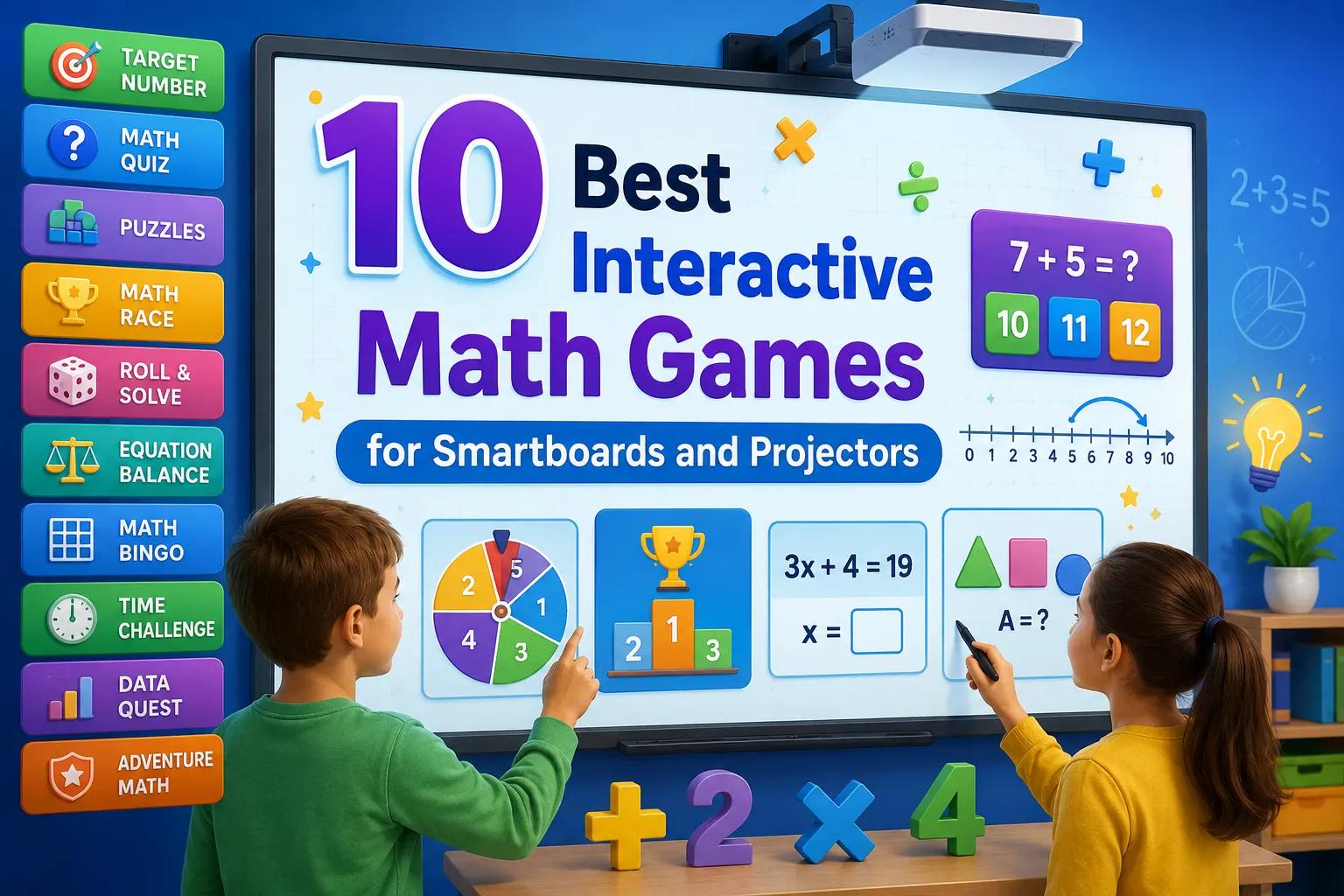
It is 8:47 AM on a Tuesday. The overhead projector hums to life, casting a crisp light across your front whiteboard as twenty-six third graders tumble into their seats with backpacks still half-zipped. In years past, this transition window was an uphill battle of distributing paper warm-ups, finding lost pencils, and repeatedly shushing wandering side chatter. Today, with a single tap on the interactive whiteboard, the classroom transforms into an electric arena. The game loads in less than three seconds—no student login screens, no lost passwords, and zero buffering wheels. Every set of eyes is glued to the big screen, minds spinning through mental math calculations as students eagerly prepare to challenge their classmates.
Interactive displays—whether you teach on a SMART Board, a Promethean ActivPanel, an Epson BrightLink interactive projector, or a ViewSonic ViewBoard—represent one of the biggest technology investments in modern education. Yet in far too many classrooms, these multi-thousand-dollar displays end up functioning as nothing more than glorified, ultra-expensive dry-erase boards. Bringing the best interactive math games for smartboards into your daily teaching completely flips that dynamic. Instead of passive spectators staring at static slides, your students become active, enthusiastic participants who debate mathematical strategies, collaborate on multi-step reasoning, and cheer on their peers. Below, we break down the 10 best interactive math games for smartboards and classroom projectors in 2026—each teacher-tested, 100% free or freemium-accessible, and ready to launch in seconds without student sign-in headaches.
What Makes a Math Game Smartboard-Ready?
Not every educational game designed for a 13-inch laptop screen works effectively when blown up on an 85-inch interactive whiteboard or a 100-inch projector wall. Over the past five years testing dozens of web-based math applications with real elementary and middle school students, we have found that true smartboard-ready math games must meet three essential criteria:
- Touch and Click Optimization: Resistive and capacitive interactive touchscreens behave very differently than a computer trackpad. Games built for smartboards feature large, generous tap targets, responsive drag-and-drop mechanics that do not lose tracking mid-gesture, and clear interface elements that can be triggered accurately by an interactive stylus or a student's fingertip without frustrating misclicks.
- High Visibility from the Back of the Room: Classrooms are large, brightly lit environments with fluorescent ceiling fixtures and natural sunlight streaming through window blinds. Smartboard games must offer high-contrast color palettes, bold numerical typography, and uncluttered visual layouts that remain effortlessly legible to a child seated twenty-five feet away in the back row.
- Zero Login and Zero Lag on School Wi-Fi: Classroom minutes are sacred. If a digital activity requires twenty-eight young learners to type complex usernames, resolve single sign-on (SSO) authentication errors, or download bloated 3D graphics that choke congested school networks, your instructional momentum evaporates. Top smartboard math activities load immediately in any standard browser and require zero student credentials.
Quick Comparison: Top 10 Smartboard Math Games
Here is an at-a-glance breakdown of the ten premier interactive math games engineered for big-screen classroom engagement:
| Game | Best For | Free | Login Required | Touch-Ready |
|---|---|---|---|---|
| Math Tug of War (MathTug) | Fact Fluency & Whole-Class Battles | 100% Free | No (Zero Sign-up) | ✅ Yes (Split-Screen) |
| Arrow Puzzle (MathTug) | Spatial Reasoning & Logic Mazes | 100% Free | No (Zero Sign-up) | ✅ Yes (Tap & Clear) |
| Number Maze (MathTug) | Multi-Step Arithmetic & Pathfinding | 100% Free | No (Zero Sign-up) | ✅ Yes (Direct Touch) |
| Blooket | Gamified Arcade Unit Reviews | Free Tier | Yes (Teacher Host) | ✅ Yes |
| Gimkit | In-Game Strategy & Currency Quests | Free Tier | Yes (Teacher Host) | ✅ Yes |
| Prodigy Math | Fantasy Role-Playing Math Quests | Free Tier | Yes (Student Accounts) | ⚠️ Partial |
| GeoGebra Interactive | Dynamic Geometry & Graphing Applets | 100% Free | No | ✅ Yes (Sliders & Pins) |
| Kahoot! | Fast-Paced Game-Show Quizzes | Free Tier | Yes (Host Account) | ✅ Yes |
| Desmos Classroom | Algebraic Thinking & Marbleslides | 100% Free | Optional | ✅ Yes (Coordinate Drag) |
| Math Playground | Elementary Arcade & Modeling Puzzles | Free (Ad-supported) | No | ✅ Yes (Browser-Based) |
1. Math Tug of War (MathTug)
There is no sound quite like a room full of hesitant math students erupting into spontaneous applause as two classroom teams face off in a live tug-of-war match. Math Tug of War splits your smartboard display into an energetic Red Team versus Blue Team showdown. As arithmetic problems appear on screen, each correct calculation pulls the virtual rope toward that team's side, while incorrect inputs shift momentum to the opponents. It turns repetitive drill practice into an exhilarating spectator sport.
- Best For: Whole-class mental math warm-ups, morning meetings, and fact fluency duels.
- Grades: K-8 (configurable from single-digit addition to multi-digit multiplication, division, and integers).
- Cost: 100% Free forever (no subscriptions, no ads during gameplay).
- Why It Works on Smartboards: The massive, vibrant split-screen interface gives every student an immediate visual gauge of team progress. Large, high-contrast tap buttons make it effortless for students running up to the board to register answers accurately without lag.
2. Arrow Puzzle (MathTug)
If your students tend to rush through calculations without pausing to analyze sequence, direction, and spatial constraints, Arrow Puzzle provides the perfect antidote. Displayed on a large interactive board, the game presents a complex matrix of colored arrows pointing in various compass directions. Students must determine the precise chronological order in which to tap arrows so each one can fly off the screen unobstructed without colliding with a blocked neighbor.
- Best For: Spatial reasoning, algorithmic thinking, geometric sequencing, and calm brain breaks.
- Grades: K-8 (scales from introductory 3x3 grids up to intricate multi-layered challenges).
- Cost: 100% Free with zero sign-ups.
- Why It Works on Smartboards: It serves as a phenomenal whole-group "think-aloud" activity. You can have a student stand at the interactive display to test their hypothesis while classmates sitting at their desks debate spatial trajectories. The smooth touch detection makes clearing arrows deeply satisfying on large touchscreens.
3. Number Maze (MathTug)
Number Maze transforms standard arithmetic operations into a compelling pathfinding journey. Students navigate a path across a numeric grid from start to finish, attempting to hit a precise target number. Every tile stepped on adds, subtracts, or multiplies their running tally. One careless turn can push the sum too high or too low, forcing students to calculate two or three steps in advance to chart the winning route.
- Best For: Multi-step arithmetic, number sense, mental computation, and pre-algebraic planning.
- Grades: 1-6 (accessible easy modes up to challenging advanced operations).
- Cost: 100% Free with zero login.
- Why It Works on Smartboards: The maze layout looks brilliant when projected at scale. Students can use interactive smartboard pens to sketch out candidate paths right over the digital grid, or tap each tile sequentially as the class collaborates on the optimal mathematical route.
4. Blooket
Blooket has taken modern classrooms by storm by embedding standard question-and-answer review sets inside viral arcade formats like Gold Quest, Tower Defense, Monster Brawl, and Cafe. While individual students answer questions on their personal Chromebooks or tablets, projecting the central host screen on your smartboard turns your classroom into an exhilarating live esports tournament.
- Best For: Unit test preparation, fast-paced vocabulary and fact drills, and Friday celebrations.
- Grades: 2-8.
- Cost: Generous free tier for educators; paid plus plan for extended analytics.
- Why It Works on Smartboards: The central smartboard display serves as the live community scoreboard. In modes like Gold Quest, the dramatic leader swaps and chest-stealing mechanics projected on the big screen keep the entire room roaring with laughter and engagement.
5. Gimkit
Created by a high school student who was bored by conventional flashcard apps, Gimkit adds an addictive economic strategy layer to academic questions. Correct answers earn in-game currency, which students then reinvest into upgrades, insurance policies, streak multipliers, and power-ups. Projecting modes like "Floor is Lava" or "Humans vs. Zombies" onto your interactive whiteboard fosters intense student collaboration.
- Best For: Sustained review sessions, strategic decision-making, and cooperative class goals.
- Grades: 3-10.
- Cost: Free basic access (limited to smaller game modes); Gimkit Pro for unlimited access.
- Why It Works on Smartboards: The large host interface clearly showcases overall class progress toward shared goals, countdown timers, and live leaderboard shifts. The high-contrast UI displays crisply on both 4K touch panels and traditional overhead projectors.
6. Prodigy Math
Prodigy Math is a fantasy role-playing adventure where learners create custom wizard avatars, capture magical pets, and duel mythical creatures by answering curriculum-aligned math problems. While students usually embark on independent quests on individual laptops, projecting a shared "Classroom Boss Battle" on your front smartboard brings the entire room together to tackle colossal monsters with combined math power.
- Best For: Differentiated standard-aligned practice, fantasy storytelling, and cooperative boss fights.
- Grades: 1-8.
- Cost: Free core classroom access; optional paid memberships for parents.
- Why It Works on Smartboards: Hosting a collective boss raid on the projector screen transforms routine math practice into an epic shared quest. Inviting struggling learners to enter the decisive spell-casting solution on the big screen provides an enormous confidence boost.
7. GeoGebra Interactive Applets
For middle school and high school educators tackling coordinate geometry, transformations, quadratic parabolas, and 3D shapes, GeoGebra is the gold standard. Its vast, free open-source library contains tens of thousands of interactive applets that allow students to physically walk up to the smartboard and manipulate dynamic variables using interactive sliders, pins, and rotation handles.
- Best For: Middle and high school geometry, coordinate graphing, algebra, trigonometry, and calculus.
- Grades: 6-12.
- Cost: 100% Free (Open Educational Resource).
- Why It Works on Smartboards: Geometry is inherently visual and tactile. Dragging vertices of a triangle directly with a finger on an interactive panel to prove that interior angles always sum to 180 degrees builds concrete geometric intuition that static textbook diagrams cannot match.
8. Kahoot!
Kahoot! remains the undisputed pioneer of classroom quiz games. Its unmistakable musical countdowns, iconic geometric shape buttons, and vibrant color-coded options turn any standard formative assessment into a televised game-show experience. While students submit answers via their personal devices, the front smartboard commands central attention by displaying the question prompts, timer countdowns, and podium celebrations.
- Best For: Formative check-ins, mid-unit reviews, and high-energy competitive quizzes.
- Grades: 1-12.
- Cost: Free basic teacher tier; paid plans available for advanced slide layouts.
- Why It Works on Smartboards: With massive typography and vibrant primary colors, Kahoot's presentation screen is visible from any angle in the room. The dramatic podium reveal at the end of each round never fails to get students clapping and cheering.
9. Desmos Classroom
Desmos Classroom offers far more than a world-class digital graphing calculator. It delivers an extraordinary suite of interactive digital lessons, including standout activities like "Polygraph" (a mathematical version of the classic game 'Guess Who?') and "Marbleslides." In Marbleslides, students tweak algebraic equation parameters so that released marbles roll along lines and curves to collect stars.
- Best For: Conceptual understanding of linear equations, functions, coordinate planes, and modeling.
- Grades: 6-12.
- Cost: 100% Free.
- Why It Works on Smartboards: Desmos includes an ingenious teacher dashboard with an "Anonymize" mode. Teachers can project student-generated graphs on the smartboard without revealing names, allowing the entire class to constructively discuss misconceptions and analyze diverse mathematical approaches.
10. Math Playground
Math Playground has stood as a beloved classroom staple for more than fifteen years. Offering hundreds of engaging math arcade games, logic challenges, and visual word-problem modeling tools—such as Grand Prix Multiplication, Thinking Blocks, and Sugar Sugar—it provides a dependable repository of tactile activities that run smoothly in any interactive whiteboard browser.
- Best For: Elementary fact fluency, bar-model word problem visualization, and logic puzzles.
- Grades: K-6.
- Cost: Free web access (supported by advertisements; ad-free classroom plan available).
- Why It Works on Smartboards: Games like "Thinking Blocks" allow elementary students to walk up to the board and physically drag visual percentage and fraction bars into place, making abstract word problems concrete and understandable.
Best Games by Grade Level
Selecting the right interactive math game depends heavily on your students' developmental stage and your specific curriculum goals:
Grades K-2: Tactile Foundations & Early Numeracy
Young learners in kindergarten through second grade need games featuring minimal text, intuitive touch targets, and strong visual representations of quantity. Math Tug of War in single-digit addition and subtraction mode gives young students immediate visual feedback on number values without reading barriers. Meanwhile, Math Playground's visual modeling tools and Number Maze (on simple difficulty) help early learners trace numeric connections physically on the board.
Grades 3-5: Fact Fluency & Strategic Problem Solving
Third, fourth, and fifth grades represent the critical transition where multiplication and division automaticity take center stage. Fast-paced, competitive games like Math Tug of War (Multiplication Mode), Blooket, and Gimkit deliver the rapid retrieval practice students need to cement their times tables before advancing to complex multi-step fractions. For strategic planning and spatial intuition, Arrow Puzzle provides an outstanding collaborative challenge.
Grades 6-12: Conceptual Modeling & High-Stakes Review
In middle and high school, math instruction shifts from arithmetic recall to algebraic reasoning, coordinate geometry, and data interpretation. Dynamic tools like GeoGebra Interactive and Desmos Classroom are unparalleled on large touchscreens, allowing students to physically manipulate linear functions, parabolas, and 3D solids. For comprehensive semester reviews and standardized exam prep, Kahoot! and Gimkit keep older students thoroughly motivated.
5 Pro Tips for Running Games on Your Smartboard
- Recalibrate Your Touch Screen Weekly: A two-inch touch offset between where a student presses their finger and where the board registers the click can derail a fast-paced math duel. Spend sixty seconds every Monday morning running your board's native calibration tool to ensure pinpoint responsiveness.
- Implement "Relay Runners" to Keep the Entire Room Engaged: When only two students stand at the board, the other twenty-four can easily slip into off-task behavior. Combat this by having all students solve the displayed problem simultaneously on individual desktop dry-erase boards. Only when their desk partner gives a thumbs-up can the designated team "runner" advance to enter the answer on the smartboard.
- Bookmark Login-Free Tools for Seamless Transitions: Assembly delays, rainy day indoor recesses, and early-finisher gaps can leave teachers with awkward 5-minute pockets of time. Keep zero-login games like Math Tug of War pinned directly to your browser bookmarks bar so you can instantly launch high-value math practice without fumbling with credentials.
- Adjust Browser Zoom and Contrast for Daytime Glare: Fluorescent lights and classroom windows often wash out projector images. Press
Ctrl +(orCmd +) on your keyboard to scale the browser to 125% or 150%, making buttons and text effortlessly legible from the back corner of your room. - Pause for Meaningful "Strategy Debriefs": Do not just rush from round to round. When an unexpected result occurs in games like Arrow Puzzle or Number Maze, pause the game and ask: "Who can explain why that move left us stuck? What alternative path should we explore next?" Using the whiteboard pen to annotate over the paused screen turns gameplay into profound conceptual learning.
Frequently Asked Questions
Do these interactive math games work on Chromebooks?
Yes, absolutely. Every game highlighted in this guide runs directly inside standard web browsers (Google Chrome, Microsoft Edge, Safari, and Mozilla Firefox). Whether you mirror a teacher Chromebook to an interactive projector or have students take turns playing directly on a SMART Board or Promethean panel, no specialized hardware is required.
What is the best 100% FREE smartboard math game with no login required?
Math Tug of War by MathTug takes the #1 spot. Unlike many commercial platforms that impose student capacity limits, display banner ads, or hide their best features behind expensive teacher subscriptions, Math Tug of War is completely free forever, requires zero sign-up or accounts, and launches instantly in full screen on any interactive display.
Do I need to install software or apps on my interactive whiteboard?
No software installations or app downloads are needed. All ten games featured are modern, HTML5 web-based applications that run entirely inside your browser. This means you do not need administrative permissions from your school district IT department, and you will never encounter outdated Flash player compatibility warnings.
Are these math games COPPA and FERPA compliant for classroom use?
Games that require zero accounts or personal credentials—such as MathTug's suite (Math Tug of War, Arrow Puzzle, and Number Maze)—are inherently COPPA and FERPA compliant because they collect no student names, email addresses, or personally identifiable information (PII). For platforms requiring student accounts (like Prodigy or Blooket), verify that your school district has current data privacy agreements established.
🎮 Ready to Try the #1 Smartboard Math Game?
Math Tug of War is 100% free, needs zero login, and has your whole class cheering in under 60 seconds.
▶ Play Math Tug of War Free Now →Recommended Hands-on Math & Focus Tools
Top-rated learning tools on Amazon that support the strategies in this article:
📥 Get Our Free Classroom Math Puzzles & Worksheets
Enjoyed this guide? Join our educator community and receive weekly printable activities and mental math worksheets.
About the Author: Shubham
Math Educator & Developer
Shubham is a dedicated math educator and software engineer with a passion for gamifying education. He created MathTug to help teachers and parents utilize interactive digital games on smartboards and projectors to make math learning collaborative, active, and stress-free for kids.
Learn more about our educational mission on the About Us page →Enjoyed this post?
Share it with your colleagues or explore more fun ways to teach math on MathTug.
🎮 Play Games